USB 3.0 A to A Public-to-Public Mobile Hard Disk Box Data Cable with Nickel Plating, Available in Multiple Lengths 0.6m, 1m, 1.5m, 2m, 3m, or 5m for External Drive Connectivity


USB 3.0 A to A Public-to-Public Mobile Hard Disk Box Data Cable with Nickel Plating, Available in Multiple Lengths 0.6m, 1m, 1.5m, 2m, 3m, or 5m for External Drive Connectivity
USB 3.0 A-to-A Public Data Cable for Direct Hard Disk Box Connectivity
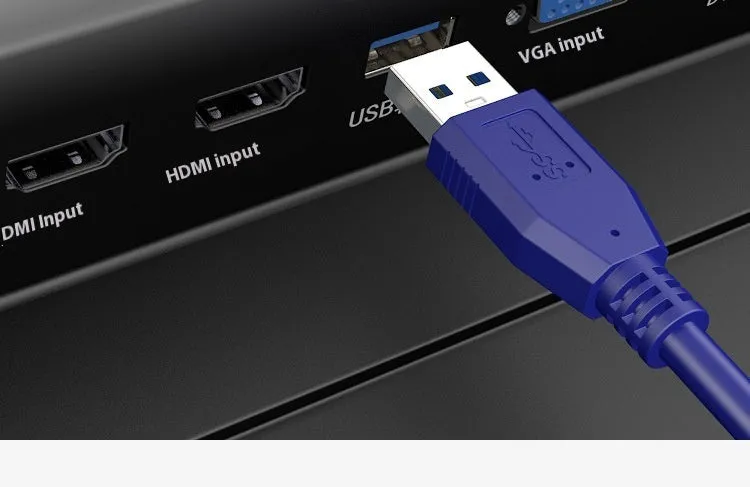
This USB 3.0 A-to-A public-to-public data cable is designed for users who need a simple, direct connection between two devices with standard USB A ports. It is particularly suited for connecting a desktop or laptop computer directly to an external mobile hard disk box, eliminating the need for intermediary hubs. The cable supports the USB 3.0 specification, which facilitates faster data transfer speeds compared to older USB 2.0 standards, making it efficient for backing up large files or managing extensive data libraries. With six different length options available, you can select the cable that best fits the physical layout of your workspace, from a compact 0.6-metre cord for a cluttered desk to a 5-metre cable for greater reach.
Features and Construction

This cable is built for a specific and practical purpose: creating a reliable, point-to-point data link. Its construction focuses on providing a stable connection for consistent data flow between compatible devices.
Material and Build
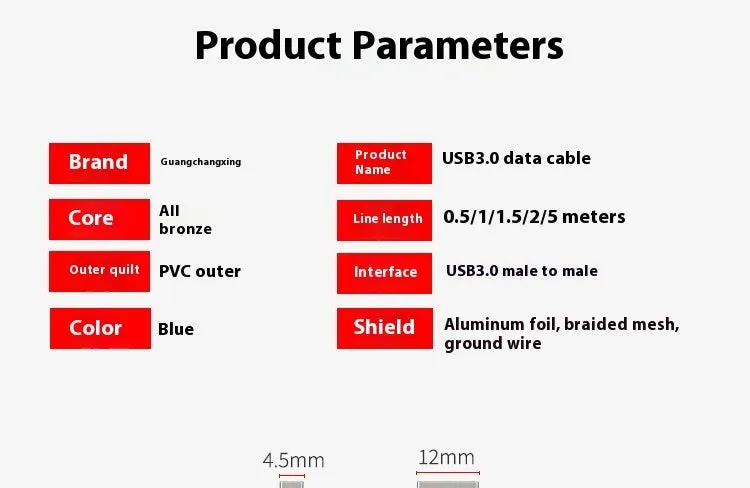
The key material feature of this cable is the nickel plating applied to the metal contacts within the USB A connectors. This plating process offers a practical benefit by providing a layer of resistance against oxidation and corrosion that can occur with standard metal contacts over time. This helps maintain a clean connection point for reliable electrical conductivity. The cable is supplied in a simple PE (polyethylene) bag, which provides basic protection during shipping and storage.
Size and Practical Fit
The most significant practical choice this product offers is its range of available lengths. You can select from 0.6 metres, 1 metre, 1.5 metres, 2 metres, 3 metres, or the extended 5-metre option. This variety allows you to match the cable to your specific setup, minimising excess cable clutter with a shorter option or providing the necessary reach to position a drive further from your computer with a longer one. Choosing the correct length can contribute to a tidier and more functional workspace.
Uses and Placement

The 'public-to-public' or A-to-A designation means this cable is intended to connect two host or device ports of the same type. Its primary use case is clear and defined within the world of computer peripherals and data management.
Event or Professional Use
In professional or event settings, such as IT support, data recovery, or on-site photography, this cable provides a straightforward tool for directly accessing data on an external drive from a laptop or workstation. Its multiple length options mean it can be packed for on-the-go use with a short cable or used in a temporary staging area with a longer one to keep equipment organised. The direct connection can be more reliable than a chain of adapters or hubs when quickly moving data.
Everyday Home Use
For home users, this cable serves as a dedicated link for an external backup drive or a large-capacity storage box. Connecting it directly to a PC's USB 3.0 port allows for fast backups of family photos, video libraries, or system images. The choice of length helps integrate the external drive neatly into a home office or entertainment centre setup, whether tucked beside the computer or placed on a shelf a short distance away.
Benefits and Buying Value
The value of this cable lies in its specificity and the practical choice it offers in terms of connection length. It fulfils a clear technical need without unnecessary complexity.
Reuse and Low Maintenance
As a fundamental connectivity accessory, this cable can be reused across multiple compatible devices and setups over time. The nickel-plated contacts contribute to its longevity by resisting tarnish, which means the cable is less likely to suffer from connection issues due to corroded pins with standard care. Its simple design means there are no moving parts or specialised components that require maintenance.
Why Choose This Product
You would choose this USB 3.0 A-to-A cable if you need a direct, uncomplicated connection for an external hard disk box or a similar peripheral that uses a standard USB A port. The main decision point is selecting the most useful length from the six available options to suit your physical space, avoiding the compromise of a cable that is too short or the mess of one that is excessively long. It provides the necessary link for faster data transfers without the additional cost or points of failure introduced by adapters or docking stations.